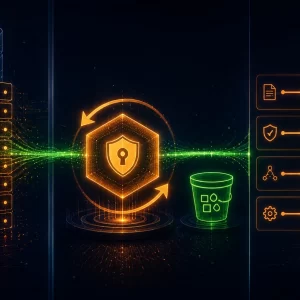
The Enterprise Leap—Microservices, OAuth 2.0 Security, and Cloud Deployment
⏱️ TL;DR
- The Problem: Our LangGraph AI agent works perfectly on a local laptop, but monolithic scripts do not scale, nor do they meet enterprise AI governance and security standards.
- The Architecture Fix: We split the monolith into a Microservices Architecture, decoupling the Streamlit UI (Frontend) from the FastAPI/LangGraph engine (Backend) for independent scaling.
- AI Security & Governance: We lock the UI behind a Google OAuth 2.0 Gatekeeper, establish strict IAM Service Accounts, and implement audit logging to ensure only authorized personnel can execute expensive AI workflows.
- The Deployment: We map our local Docker setup to managed Google Cloud Run services, configuring specific AI-workload timeouts and deploying via a secure CI/CD pipeline.
📑 Table of Contents
Introduction: The Final Challenge
For the past three articles, we have engineered a sophisticated piece of digital machinery. In Part 1, we built the local Docker plumbing. In Part 2, we designed the complex LangGraph “brain” with cyclic logic and stateful memory. And in Part 3, we wired that brain to the real world, navigating the complexities of Google Vertex AI and the WordPress REST API.
Currently, however, this powerful agent is effectively “floating in a digital jar” on your local terminal. You execute the Python script, and it runs safely on your laptop. While this is perfect for prototyping, it is a non-starter for enterprise adoption. If a marketing team member or content editor needs to launch an AI workflow, they should not have to install Python, configure Docker containers, and navigate a command-line interface.
In this final article, we take the ultimate enterprise leap. We will refactor our monolithic script into a highly scalable Microservices Architecture. More importantly, we will address the elephant in the room: AI Governance. We will lock the entire system behind enterprise-grade Google OAuth 2.0 Security, enforce IAM least-privilege policies, and deploy the entire stack to the managed, serverless cloud.
1. The Architecture Shift: Monolith to Microservices
Why do we need to abandon our single script and move to microservices? When dealing with Generative AI, architectural decoupling is not just a buzzword; it is a structural necessity.
Imagine you have dozens of concurrent content generation requests from your team. With our current local setup (the “Monolith”), the script will crash under the load. Furthermore, LLM generation and image rendering take time. If the Image Generation API call hangs for 45 seconds, the user’s web interface will freeze, leading to a terrible user experience.
We must “decouple” the “Face” (the User Interface) from the “Brain” (the LangGraph Orchestrator). This shift gives us three massive advantages:
- Independent Scaling: The Streamlit UI is lightweight and requires minimal CPU. The LangGraph backend requires heavier memory and longer timeouts. Microservices allow us to scale them independently.
- Fault Isolation: If the WordPress API goes down and crashes the backend worker, the Frontend UI remains online to show the user a graceful error message.
- Tech-Stack Flexibility: Later, if you want to replace the Streamlit UI with a React frontend or a Slack bot, you only replace the “Face” while the FastAPI “Brain” remains untouched.
The Final Docker Compose Blueprint
We will refactor our local setup into two separate logical containers. While our ultimate destination is the cloud, maintaining a clean docker-compose.yml for local staging is vital for development continuity.
version: '3.8'

services:
  # --- SERVICE 1: The Face (Frontend UI) ---
  agent-ui:
    build: ./frontend # Streamlit dashboard lives here
    container_name: agent_ui_container
    ports:
      - "8501:8501" # External access point for users
    environment:
      - BACKEND_API_URL=http://agent-brain:8000 # Internal DNS routing
      - GOOGLE_CLIENT_ID=${GOOGLE_OAUTH_CLIENT_ID} # 🔐 Auth Secrets
    depends_on:
      - agent-brain

  # --- SERVICE 2: The Brain (Backend API) ---
  agent-brain:
    build: ./backend # LangGraph engine wrapped in FastAPI
    container_name: agent_brain_container
    ports:
      - "8000:8000" # Internal API port (Hidden from public internet)
    environment:
      - DB_URI=postgresql://user:pass@postgres:5432/memory_db
      - VERTEX_AI_PROJECT_ID=${GCP_PROJECT_ID} # 🔐 AI Secrets
      - WP_URL=https://my-company-blog.example.com/wp-json/wp/v2
    depends_on:
      - postgres

  # ... (Postgres DB remains as the stateful memory from Part 1)
Now, our application is composed of autonomous containers talking to each other via HTTP. The UI simply collects user input and sends an asynchronous JSON request (POST /api/v1/generate) to the Brain.
2. 🛡️ Enterprise AI Security & Governance
We are building this tool for enterprise internal use. Deploying a public-facing URL where any bot or malicious actor on the internet can launch resource-intensive AI workflows and post directly to your CMS is a catastrophic security risk.
The Core Tenets of AI Governance
In traditional software, a breached endpoint might leak a database. In AI software, a breached endpoint allows an attacker to generate infinite malicious content, consume thousands of dollars in LLM API quotas, and damage brand reputation autonomously. The new perimeter is Identity. You do not trust network boundaries; you trust explicit authorization.
A. Identity and Access Management (IAM) & Least Privilege
In the cloud, containers do not use passwords; they use Service Accounts. To adhere to strict AI governance, we apply the Principle of Least Privilege to our microservices.
- The UI Service Account: The frontend is given zero permissions to access Vertex AI or the Postgres database. It is only allowed to invoke the Backend Cloud Run service.
- The Backend Service Account: The LangGraph engine is granted
roles/aiplatform.user(to talk to Gemini) and Cloud SQL Client (to write to memory). It has no internet-facing ingress permissions.
B. Audit Trails and Accountability
If the AI agent hallucinates or generates content that violates company policy, how do you know who initiated the workflow? Anonymity is the enemy of governance.
By enforcing authentication (which we will build next), every single POST request sent to our LangGraph backend includes the user’s verified email address. We log this directly into our Postgres AgentState. If a problematic article is drafted in WordPress, we have a cryptographically verifiable audit trail linking that AI generation back to a specific employee.
C. Data Residency and Privacy
By using Google Cloud Vertex AI rather than public consumer APIs, we inherit enterprise data privacy guarantees. Google Cloud’s terms state that customer data sent to Vertex AI is not used to train their foundational models. Furthermore, we can pin our Cloud Run and Vertex AI execution to a specific region to comply with data residency laws.
3. Implementing the OAuth 2.0 Gatekeeper
To enforce the identity layer discussed above, we implement Google OAuth 2.0 (acting conceptually like Google’s Identity-Aware Proxy).
We chose Google OAuth for three reasons:
- Domain Locking: We can configure the OAuth consent screen to strictly reject any user who does not have an
@your-company.example.comemail address. - Frictionless SSO: Employees don’t need to remember a new password; they click a button and sign in with their existing corporate workspace credentials.
- Cost Protection: By gatekeeping the UI, we ensure only authorized employees can trigger expensive Vertex AI compute cycles.
Here is a conceptual snippet of how the Frontend (Streamlit) logic is secured to act as a proper gatekeeper before rendering any AI input controls:
import streamlit as st
import os
from security.google_oauth import check_user_access # 🔐 Generic local security module

# 🛡️ SECURE ZONE CONFIGURATION
ALLOWED_DOMAIN = "@your-company.example.com"
CLIENT_ID = os.getenv("GOOGLE_OAUTH_CLIENT_ID")

# 1. HALT! Immediately check if the user is authenticated via Google.
user_identity = check_user_access(CLIENT_ID)

if not user_identity:
    # 🛑 If not logged in, stop the application execution entirely.
    st.title("Enterprise AI Agent Portal")
    st.warning("Restricted Access. Please sign in to continue.")

    # Render the "Sign In with Google" auth URL
    auth_url = f"https://accounts.google.com/o/oauth2/v2/auth?client_id={CLIENT_ID}&response_type=code&scope=openid%20email"
    st.link_button("Login with Corporate ID", auth_url, type="primary")
    st.stop() # Script stops here. No AI logic is exposed.

# 2. 🟢 Welcome to the SECURE ZONE (Authorized Users Only)
# Verify the specific corporate domain before showing the Agent Interface.
if not user_identity.get('email', '').endswith(ALLOWED_DOMAIN):
    st.error(f"Security Alert: Access Denied. Platform restricted to {ALLOWED_DOMAIN} users.")
    st.stop()

# --- The rest of the Agent UI loads below this line ---
st.success(f"Identity Verified. Logged in as: 👤 **{user_identity['email']}**")
# st.text_input("Enter topic for AI Agent...")
With this logic, the application remains completely locked until a valid employee token is received from Google’s servers. The UI doesn’t even load the LangGraph trigger buttons until identity is proven.
4. The Final Destination: Google Cloud Run Deployment
The plumbing is decoupled, the governance policies are established, and the door is locked. Now we leave the local terminal. Our deployment destination is Google Cloud Run.
Why Cloud Run for AI Workloads?
We chose Cloud Run because it is a fully managed, serverless platform for running containers. We don’t have to manage underlying servers or Kubernetes clusters. It scales to zero (costing nothing) when nobody is using the agent, and scales up instantly when a request comes in.
agent-brain to Cloud Run, you must configure the container timeout settings to 3600 seconds (1 hour) to ensure the agent is not killed mid-thought by the serverless infrastructure.Our local docker-compose.yml translates perfectly to Google Cloud’s managed services:
- Local
agent-uiContainer 👉 Deploys to Cloud Run Service (Frontend UI). - Local
agent-brainContainer 👉 Deploys to Cloud Run Service (Backend API). - Local
postgresContainer 👉 Deploys to managed Cloud SQL for PostgreSQL.
The Automated Deployment Pipeline (CI/CD)
To adhere to IT governance, a technical agent should never be manually pushed from a developer’s laptop to production. We implement a strictly governed CI/CD pipeline using GitHub Actions.
- Code Review & Merge: A developer creates a Pull Request. Another human reviews the LangGraph logic changes. Once approved, it merges to the
mainbranch, triggering the pipeline. - Secrets Sanitization: Passwords, WP API keys, and OAuth Client IDs are never stored in the codebase. The pipeline fetches them securely from Google Secret Manager and injects them into the Cloud Run service strictly at runtime.
- Build & Push: The pipeline builds the dual Docker images and pushes them to the Google Artifact Registry.
- Deploy & Shift: The new microservices are deployed. Once automated health checks pass, traffic is seamlessly shifted to the new, updated AI Agent.
Conclusion: The Future of Responsible Autonomy
We have successfully taken an abstract LangGraph script and transformed it into a production-grade, microservices-based, OAuth-secured, cloud-managed Enterprise AI Solution.
Throughout this four-part series, we have demonstrated that engineering a successful AI Agent requires much more than just writing clever LLM prompts. True enterprise AI is about:
- Building a robust, containerized architectural foundation (Part 1).
- Designing stateful, cyclic logic that allows for reflection and correction (Part 2).
- Mastering complex API handshakes and designing resilient retry mechanisms (Part 3).
- Enforcing responsible AI governance, identity-based security, and automated cloud deployments (AI Governance and Red Teaming).
By treating AI as an integrated component of software architecture rather than a simple standalone chatbot, you can move your organization past temporary proof-of-concepts and start driving enduring, autonomous business value.
Enjoyed this article?
Get notified when the next one is published.
We send one email per new article — no spam, unsubscribe any time.
⚠️ Disclaimer: The information provided on LearnWithNeeraj.com regarding Astrology, Numerology, and other topics is for educational and guidance purposes only.
Not Professional Advice: This content should not be used as a substitute for professional medical, legal, or financial advice. Always consult a certified professional for specific concerns.
Guest Authors: This site features articles by various contributors. The views and interpretations expressed are those of the individual authors and do not necessarily reflect the views of the website administrator.
Your destiny is in your hands. Use this information as a map, not a mandate.